How to create a no-code personal page: A Guide for Creators and Professionals
 Elitza Vasileva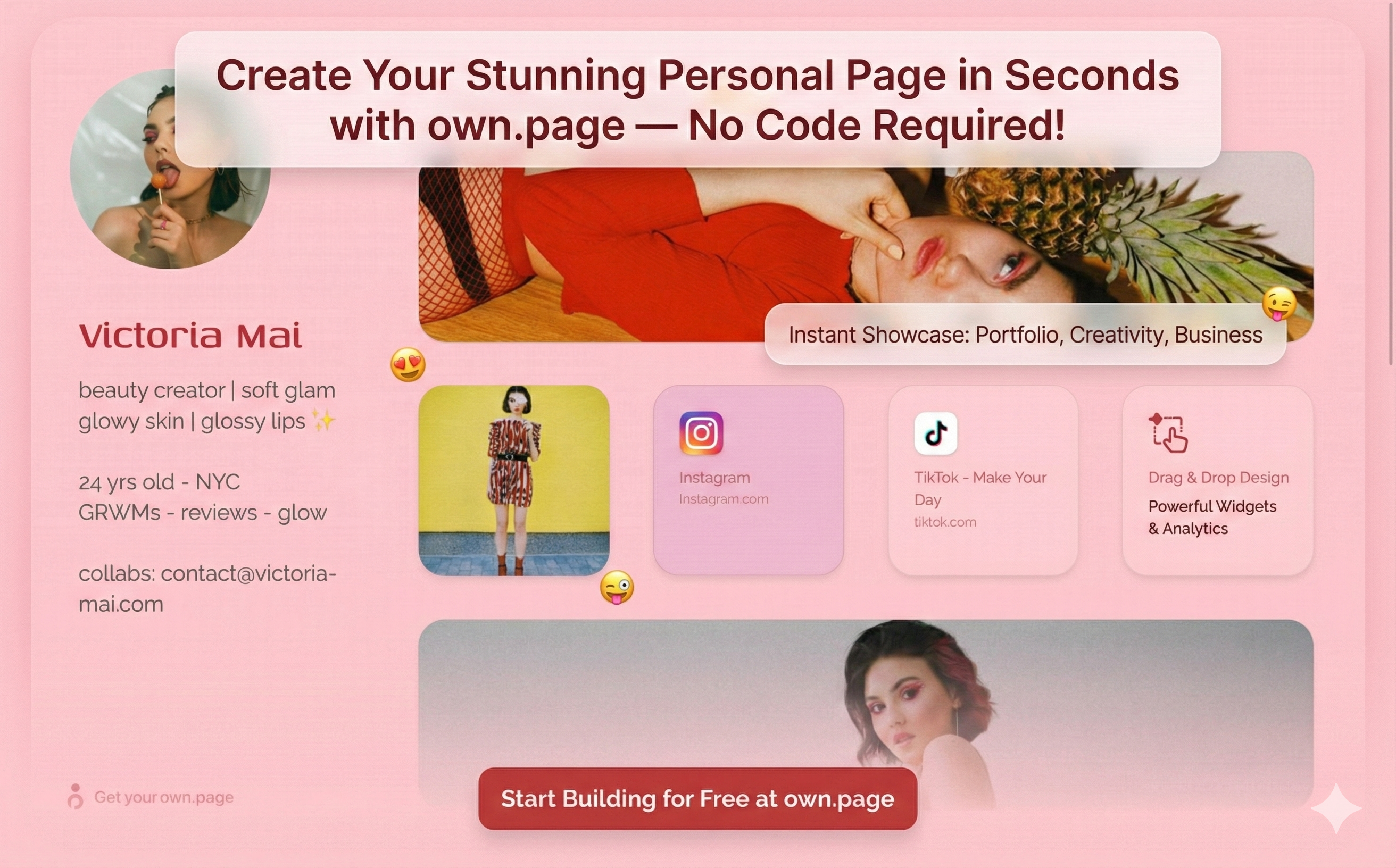
Introduction
Imagine sharing a single link that instantly showcases your creativity, portfolio, or business - all without writing a line of code. In today’s digital world, having a sleek personal page is essential for professionals, freelancers, and creators. But what if you could build one in seconds? Meet own.page - a no-code website builder that lets anyone launch a creative personal landing page, acting as a robust Linktree alternative. Whether you want to promote your work, link all your socials, or make a memorable first impression, own.page can help you stand out online with zero technical hassle.
What You Need to Know
No-code platforms are transforming how we build and share our online identities. According to Gartner, by 2025, 70% of new applications developed by enterprises will use no-code or low-code technologies. This shift isn’t just for large companies - individuals are quickly adopting no-code tools to create personal pages, portfolios, and digital resumes.
own.page leverages this trend. It’s designed for anyone who wants a custom page - without the complexity or cost of traditional website builders. Unlike Linktree, which offers basic link lists, own.page empowers you to design a creative personal page with images, text, powerful widgets and unique branding - all in a matter of seconds.
Key takeaways
- No-code means anyone can build a web page without coding skills.
- own.page offers more design flexibility than typical link-in-bio platforms.
- A personal page boosts your credibility and online presence.
Why Personal Pages Matter
A personal page acts as your digital business card. It’s where potential clients, employers, or fans get a snapshot of who you are, what you do, and how to connect. In 2024, personal branding is more important than ever. According to a 2023 LinkedIn survey, 71% of recruiters are more likely to contact candidates with a professional online presence.
How own.page Simplifies the Process
Own.page makes building your personal or professional page easy:
- Sign Up Quickly: Visit own.page and sign up with your email or social account. The process takes less than a minute.
- Choose a Template: Select from modern, mobile-friendly templates designed for creators, professionals, and businesses. Each template is customizable.
- Add Your Content: Upload your profile picture, write a bio, and add links to your social media, portfolio, or projects. You can embed images, videos, and even widgets with more complex functionality.
- Personalize Your Design: Change colors, fonts, and layouts to match your personal brand. Unlike Linktree, own.page lets you go beyond a simple list of links.
- Publish Instantly: Click “Save” and your page is live. Share your unique URL on Instagram, Twitter, LinkedIn, or your email signature.
Example: A freelance designer uses own.page to showcase her portfolio, add client testimonials, and link to her Behance and Instagram - all on a page that matches her brand colors and style.
Common Questions and Clear Answers
- Is own.page free to use? — Free tier with core features; affordable upgrades for advanced customization and analytics.
- How is own.page different from Linktree? — own.page lets you create a visually rich page with images, videos, and widgets, not just link lists.
- Do I need design experience? — No. The drag-and-drop interface is beginner-friendly.
- Can I track analytics? — Yes, premium plans include page and link analytics.
- Is my data secure? — Industry-standard encryption; data is not shared with third parties.
Mistakes to Avoid
- Overloading your page: Too many links or images overwhelm visitors. Focus on the most important content.
- Ignoring mobile optimization: Over 60% of traffic is mobile. Use own.page previews to ensure it looks great everywhere.
- Skipping updates: Keep your page fresh with recent projects, updated bios, or new links. An outdated page hurts credibility.
Key takeaways:
- Simplicity and clarity improve engagement.
- Always preview your page on mobile.
- Regular updates signal professionalism.
Practical Tips You Can Apply Today
- Use a professional photo to build trust.
- Link smartly: prioritize portfolio, shop, or latest content.
- Brand your page: match colors and fonts to your personal brand.
- Highlight achievements: add testimonials, awards, or stats (e.g., “Featured in Forbes”).
- Share everywhere: add your own.page link to socials, email signature, and business cards.
Conclusion
Building a personal page no longer requires coding, design skills, or hours of work. With own.page, you can create a stunning, fully customized landing page in seconds—perfect for creators, professionals, and anyone boosting their online presence. As no-code tools shape the digital landscape, a polished personal site is becoming the norm. Start today at own.page and put your best self forward, everywhere you share your story.
Ready to stand out with a no-code personal page? Visit https://own.page to see how easy it is to get started.