How to Build an Online Presence: Your 2026 Creator Playbook
 Elitza Vasileva

You're probably already online. You have an Instagram profile, maybe a LinkedIn page, maybe a portfolio on a marketplace, maybe a half-finished link in bio that sends people to five different places.
And yet it still feels scattered.
You post. People like it. Then nothing happens. A potential client asks for your work, and you send three links. Someone hears your name and searches for you, but the results don't tell a clear story. That's the problem most creators and freelancers are trying to solve when they ask how to build an online presence.
It isn't about making more accounts. It's about building a presence that people can understand, trust, and return to.
Table of Contents
- Your Online Presence Needs a Home Not Just a Megaphone
- Define Your Foundation Goals Audience and Brand
- Build Your Home Base with a Modern Homepage
- Create Content That Connects and Gets Discovered
- Activate Growth and Measure What Matters
- Your Launch Checklist and 90 Day Roadmap
Your Online Presence Needs a Home Not Just a Megaphone
You post a new project on Instagram. It gets decent engagement for a day, then disappears. A week later, a potential client asks for your portfolio, your rates, and the best way to contact you. You send three different links and hope they piece it together.
That setup leaks attention.
Creative freelancers get told to show up on every platform. The result is usually scattered bios, half-finished profiles, and no clear place that explains the work or turns interest into action. Reach matters, but borrowed reach is unstable. Social platforms can cut visibility, change formats, or push you to start over whenever the rules shift.
A stronger setup starts with one page you control. That page is the source of truth for your offer, your proof, and your next step. Social channels still have a job. They distribute attention back to your home base.
Practical rule: Social platforms are distribution channels. They are not your business.
This matters even more now because discovery happens in more places than search results and social feeds. People find freelancers through AI summaries, creator recommendations, shared links, profile previews, and mentions across the web. If those signals point to a scattered presence, you look smaller than you are. If they point to one clear page, you look established. If you want to understand how this works in AI-driven discovery, these comprehensive LLM search strategies are worth studying.
A real home base does a few things well:
- It makes your value obvious. Visitors should know within seconds what you do, who you help, and why your work is worth a closer look.
- It cuts friction. One clear page beats sending people into a chain of bios, pinned posts, and direct messages.
- It lowers platform risk. If one channel slows down, your main page still gives people a way to find you, trust you, and contact you.
For many freelancers, a lightweight homepage is enough. A polished own.page can handle that role well because it gives you one modern, editable place to present your work without building a full site from scratch. If you need a practical starting point, this guide on how to create a no-code personal page shows what to include first.
The goal is simple. Stop treating your online presence like a pile of posts. Build a home people can return to.
Define Your Foundation Goals Audience and Brand
A freelancer with strong work can still lose the job if the page sends mixed signals. One headline says strategist. The portfolio looks like a designer. The call to action asks people to subscribe. Visitors leave because they cannot tell what this business is for.
Start with one business goal
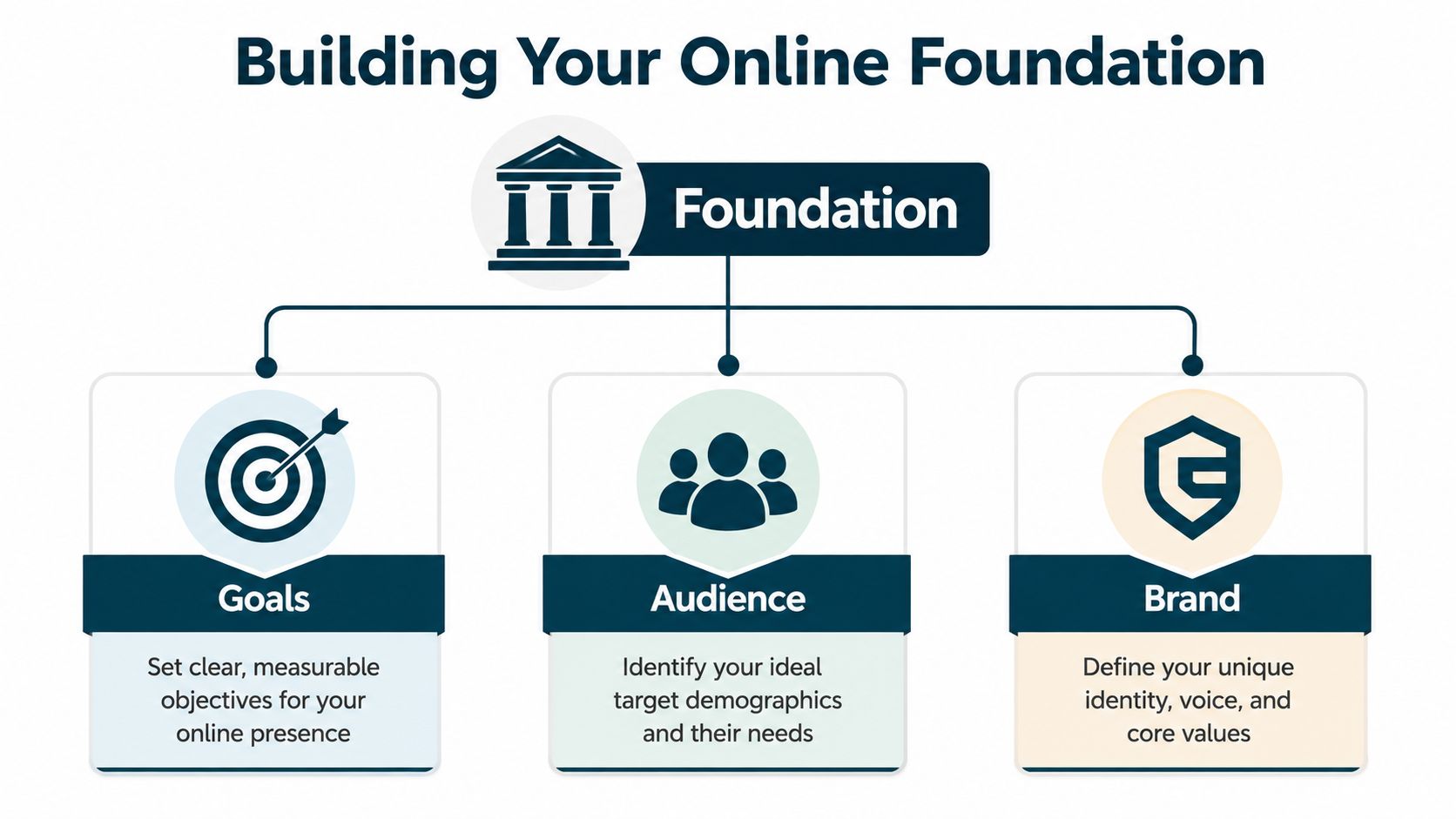
Choose the job your online presence needs to do first. Everything else follows that choice.
For a freelancer, the primary goal usually lands in one of four categories:
- Get client inquiries. Prioritize a contact form, booking link, or project brief.
- Show proof of work. Lead with selected projects, results, and testimonials.
- Build an audience. Put email signup, recurring ideas, and your point of view near the top.
- Support a job search. Make skills, experience, and relevant work easy to scan fast.
A page that tries to do all four at once usually weakens all four. The headline gets vague. The navigation grows. The call to action loses force.
Use a simple test. When the right person lands on your page, what do you want them to do next?
If you need a practical framework, this personal website checklist with the core elements to include helps you match that goal to the actual pieces on the page.
Describe one real person
Broad targeting creates generic messaging. Generic messaging gets ignored.
Write down one audience profile you want more of. Keep it plain:
| Element | What to define |
|---|---|
| Role | Founder, art director, venue manager, recruiter, local customer |
| Need | Hire someone, compare options, check credibility, browse work |
| Concern | Price, quality, style fit, reliability, speed |
| Action | Book a call, request a quote, subscribe, listen, buy |
Strategy gets practical. Once you know the reader's job, concern, and next step, your homepage copy gets clearer, your examples get tighter, and your content stops drifting.
If you want a planning model that connects audience pain points to what you publish, this content blueprint for business growth is a useful companion.
Lock in your brand before you publish
Brand starts with consistency. It shows up in the promises you make, the proof you choose, and the tone you repeat across every touchpoint.
Define these before you start posting:
- Voice: sharp and minimal, warm and collaborative, technical and precise
- Visual baseline: one type direction, one color system, one image style
- Point of view: what you believe clients get wrong, and how you work differently
- Proof: projects, outcomes, credentials, or testimonials that back up your claim
This matters more when your homepage is the center of your presence. Social platforms fragment attention. Your home base should pull everything back into one clear identity. That is part of the value of a tool like own.page. It gives you one place to keep your positioning, proof, and calls to action aligned instead of letting each platform define you in a different way.
Narrow beats broad here. Clear wins trust faster.
Build Your Home Base with a Modern Homepage
A bio link page can be useful. A pile of links isn't a strategy.
If you want an online presence that compounds, your main page needs to work like a homepage. It should explain who you are, show what you do, and direct people toward one clear next step.
Business.com recommends treating your site as the “source of truth” and distributing outward from there in its guide to building a strong online presence. That's the right model. One controlled hub creates consistency. Your other channels then point back to it instead of competing with it.
Why a homepage beats a link list
A basic link list says, “Here are my destinations.”
A homepage says, “Here's who I help, what I make, and why this matters.”
That difference is huge.
A strong homepage gives you room for:
- Positioning instead of just navigation
- Proof instead of just promises
- Context instead of just buttons
- Conversion instead of casual clicks
For a creator, this can be a compact personal site. For a small business, it can be a lean landing page. For a freelancer, it often sits between a portfolio and a contact funnel.
One practical option is own.page, which lets you build a homepage, portfolio, or link-in-bio style site with drag-and-drop blocks, embeds, and analytics from phone or browser. That makes sense for people who need something more flexible than a bio link tool but don't want to build a full custom site.
What to put on the page first
It's easy to overbuild. Start with the blocks that answer the visitor's immediate questions.
Use this order:
Headline and subhead
Say what you do and who it's for. Avoid slogans. “Brand designer for SaaS startups” works. “Turning ideas into impact” does not.Primary call to action
Choose one. Book, contact, inquire, listen, shop, or subscribe.Proof section
Featured work, selected clients, media embeds, before-and-after examples, or a concise testimonial.About block
Keep it short. People want credibility, not autobiography.Secondary paths
Social links, newsletter, press kit, GitHub, Spotify, YouTube, or calendar.
If you want a sharper reference for what belongs on a personal site, this personal website checklist with essential elements is a practical benchmark.
Here's a quick product walkthrough if you want to see how a no-code homepage can be assembled from modular blocks:
Three practical setups
Different types of creators need different page structures. The page should match the job.
Freelancer portfolio setup
A designer, developer, marketer, or photographer should lead with clear positioning and recent work.
- Top section: Name, specialty, location or niche, contact button
- Middle: Three to six selected projects with short context
- Bottom: Process, testimonial, inquiry form
Don't upload every project. Curate.
Musician or visual artist setup
Media should be visible fast. Don't make people hunt for it.
- Top section: Artist name, current release or featured piece
- Middle: Embedded Spotify, YouTube, gallery, event dates
- Bottom: Mailing list, booking inquiry, social links
Small business setup
A local service provider needs clarity more than flair.
| Page block | Purpose |
|---|---|
| Services summary | Show what you offer fast |
| Trust elements | Reviews, certifications, or photos |
| Contact options | Form, phone, booking, map |
| Business details | Hours, service area, FAQs |
The best homepages feel lighter than the owner expects. Fewer choices. Cleaner copy. Better direction.
Create Content That Connects and Gets Discovered
A freelancer posts three times a week, gets decent engagement, and still hears nothing from qualified leads. The usual problem is weak routing. The content lives on rented platforms, but the next step is unclear or buried.
Content should send people back to your home base every time. On own.page, that usually means one clear destination for your best work, your offer, and the action you want a visitor to take.
WordStream found that people routinely research businesses online before making contact in its guide to increasing online presence. Discovery matters. So does what happens after discovery. If someone finds you through a post, profile, or search result, your content needs to pull them toward a page you control.
Choose fewer channels with a clear job
Trying to maintain five platforms usually produces thin work and mixed signals. A better setup is two primary channels and one home base.
Pick channels based on how clients buy:
- LinkedIn works well for consultants, strategists, writers, and other B2B freelancers who win work through trust and expertise.
- Instagram works for photographers, designers, stylists, tattoo artists, and local service businesses where visuals carry the sale.
- YouTube works for educators, coaches, and service providers who benefit from showing process and depth.
- Email works for anyone who wants repeat attention without depending on an algorithm.
Each channel needs one job. Discovery. Nurture. Proof. Distribution. If a platform does not serve a clear role, cut it.
Build one strong asset, then turn it into a week of distribution
This is the most reliable content system I've seen for solo operators. Start with one useful piece that belongs on your home base, then reshape it for the channels you chose.
| Core asset | Repurposed assets |
|---|---|
| Case study | Carousel, short clip, quote post, email note, FAQ section |
| Tutorial | Reel, thread, checklist, blog summary, pinned post |
| Project breakdown | Before-and-after post, behind-the-scenes clip, client FAQ |
This keeps your message aligned across platforms. It also prevents the common problem where social content gets attention but does nothing for inquiries. Every post should point back to a project, service, lead magnet, or email signup on your main page.

If production is the bottleneck, these top AI tools for 2026 creators can help with editing, clipping, scripting, and repurposing. Use them to save time on repetitive work. Keep the judgment, angle, and voice human.
Make discovery easier for the content you already publish
Good content gets missed for boring reasons. Weak titles. Thin descriptions. Broken social previews. No search context around images or embeds.
Handle the basics:
- Write a specific page title with your name, service, or niche.
- Use headings people would search for instead of clever filler.
- Add short context around portfolio pieces so search engines and visitors know what they're seeing.
- Clean up link previews so shared posts look intentional and trustworthy.
Social preview setup is a small detail with real impact. If your link shows the wrong image, no description, or a cut-off title, fewer people click. This guide to social media metadata for website previews shows how to fix that.
You do not need daily output. You need useful work, clear distribution, and one page worth visiting after the click.
Activate Growth and Measure What Matters
You publish a strong piece, share it three times, get a few likes, and assume it worked. Then a month later, nothing changed. No replies. No calls. No serious leads.
That usually means the system is missing two things. Distribution with intent, and measurement tied to action.
Use a simple loop. Publish. Push the work in the right places. Watch what happens on your home base. Adjust based on behavior, not mood.
Promotion that doesn't feel spammy
Promotion works when it matches the context. A portfolio piece belongs in a client follow-up, not dropped cold into every channel. A useful how-to post can work in a niche community if it answers a real question. The goal is to place your work where the right people already pay attention, then bring them back to one page you control.
Good channels to use:
- Relevant communities: Share work where potential clients or peers already discuss the problem
- Peer collaborations: Guest on someone else's newsletter, podcast, stream, or resource round-up
- Email follow-ups: Send new work to warm contacts, past clients, or people who asked about your process
- Profile updates: Change pinned posts, bios, and featured links so current attention flows back to your homepage
The trade-off is simple. More channels can increase reach, but they also split your effort. For a freelancer, a smaller system usually performs better. Pick a few distribution paths you can repeat, and send people back to your central page. On own.page, that means one clean destination where visitors can understand your work and take the next step without getting lost.
Watch the right signals
Attention alone is a weak signal. A creative freelancer needs signs that point to fit, interest, and intent.
Track these:
| Metric | Why it matters |
|---|---|
| Page views | Shows whether your distribution is sending people to your home base |
| Traffic sources | Reveals which channels bring the right visitors |
| Click-throughs | Shows whether your CTA, offer, and page structure are doing their job |
| Inquiry volume | Connects attention to actual business opportunity |
| Top content | Helps you spot themes, formats, and problems worth repeating |
A post with fewer likes and more qualified clicks is the better asset. A channel that sends fewer visitors but more inquiries deserves more attention.
This is why the homepage matters so much. Social platforms can show surface engagement. Your home base shows intent. Did they click your contact button? Did they view your services? Did they spend time on your proof pieces? Those are stronger signals than reactions inside rented platforms.
Use data to make smaller better decisions
Big overhauls are overrated. Growth usually comes from tighter decisions made every week.
Change one thing at a time:
- Rewrite the homepage headline
- Move the contact button higher
- Replace the first project shown
- Cut links that distract from the main CTA
- Repackage the same idea in a different format
- Stop spending time on a platform that sends low-fit traffic
This part should stay practical. If a source sends visitors who bounce fast and never inquire, reduce effort there. If one page keeps getting visits but no clicks, fix the page before making more content. If email drives the strongest traffic, commit to email more often.
Use built-in analytics when they are clear enough to guide action. You do not need a stack of six tools to make good decisions. You need a reliable view of where people came from, what they looked at, and whether they took the next step.
The goal is direction. Keep the channels that send qualified traffic. Improve the page that converts attention into action. Cut the rest.
Your Launch Checklist and 90 Day Roadmap
A strong online presence doesn't appear all at once. It gets assembled in layers, then tightened through repetition.
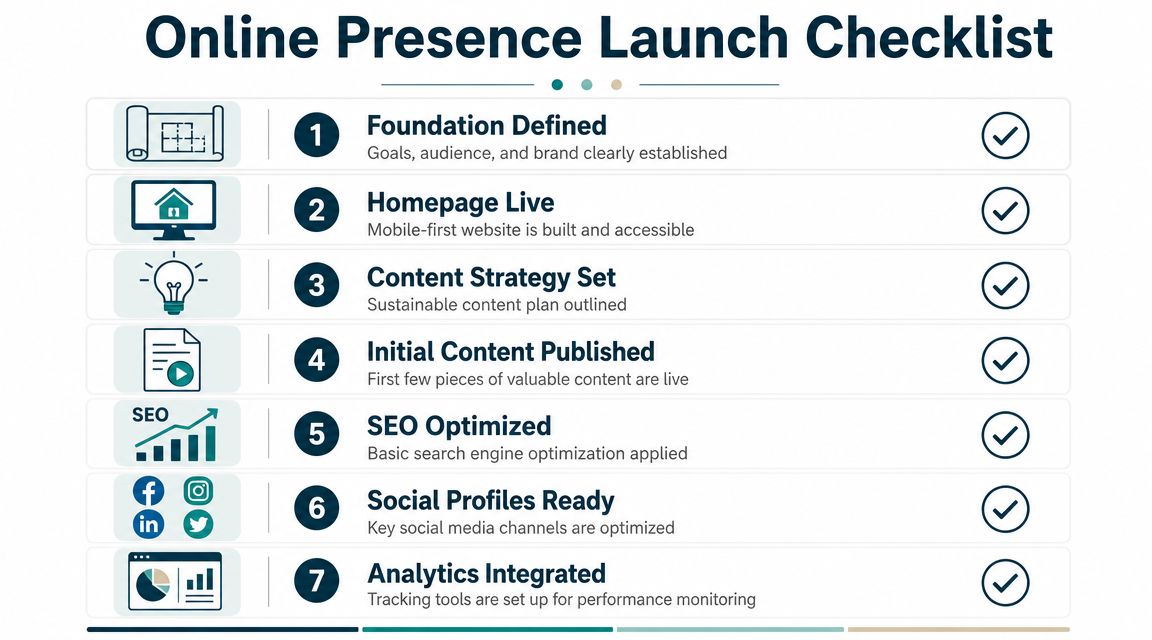
Your launch checklist
Use this as your baseline.
Goal selected
Choose the primary result you want from your online presence.Audience defined
Write down who you help, what they need, and what makes them hesitate.Brand clarified
Lock in your voice, visual direction, and point of view.Homepage published
Make sure it works on mobile and answers the basic who, what, and next step questions.Core content prepared
Publish a few pieces that show proof, expertise, or style.Key profiles aligned
Update your social bios, featured links, and descriptions to match your homepage.Analytics active
Check that you can see visits, clicks, and referral sources.
A simple 90 day rhythm
The first 90 days should be boring in the right way. Consistency matters more than novelty.
Days 1 to 30
Build the foundation. Publish your homepage. Clean up your bios. Prepare a few proof-driven content pieces. Set one CTA.
Days 31 to 60
Establish rhythm. Publish on your chosen channels consistently. Repurpose one core idea into multiple formats. Start noting what gets clicks, replies, and inquiries.
Days 61 to 90
Refine. Keep the channels that send useful traffic. Cut the ones that don't. Improve your headline, offers, and content angles based on real behavior.
If you're serious about learning how to build an online presence, this is the shift that matters most: stop thinking in terms of profiles, and start thinking in terms of infrastructure. Your page is the center. Your content is the signal. Your analytics are the feedback loop.
If you want a simple way to launch that home base, own.page gives creators, freelancers, and small businesses a fast way to build a homepage, portfolio, or link-in-bio style site without code, then update it from phone or browser as your work evolves.
Free tools · no sign-up